Catch Book
Your fishing log, tides, and spots—remembered.
Everything about the bite, saved with every fish
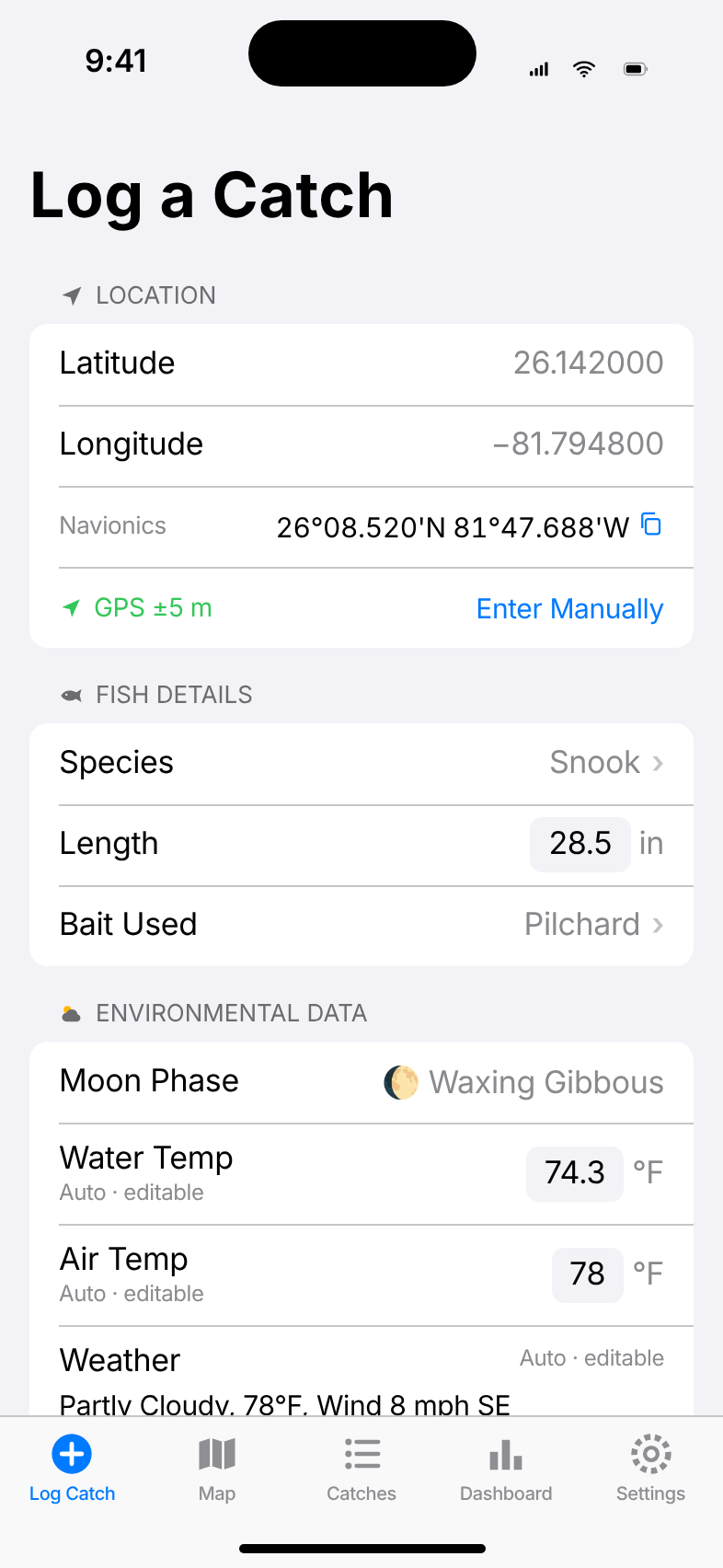
Tap Log Catch on the boat or the beach. Catch Book fills in the details you'd never write down, so next season you know exactly where, when, and how they were biting.
Conditions logged automatically
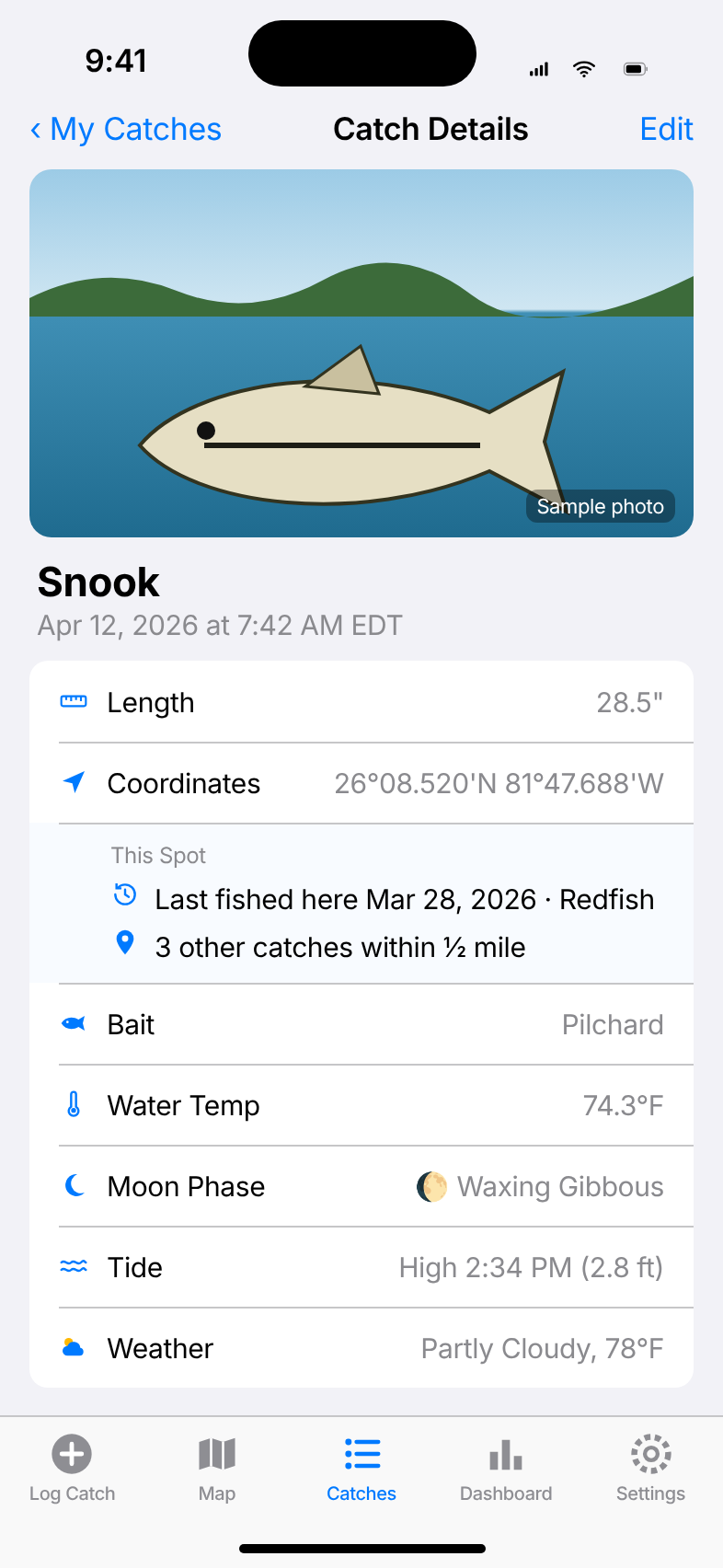
Every catch records its GPS position (with Navionics-style coordinates you can copy) plus the conditions at that moment.
- Air temperature, wind, and sky from Apple Weather
- Next high or low tide and water temperature from the nearest NOAA station
- Moon phase and illumination, calculated on your iPhone
- Species, length, bait, photo, and notes. Everything stays editable
Your catches on a map
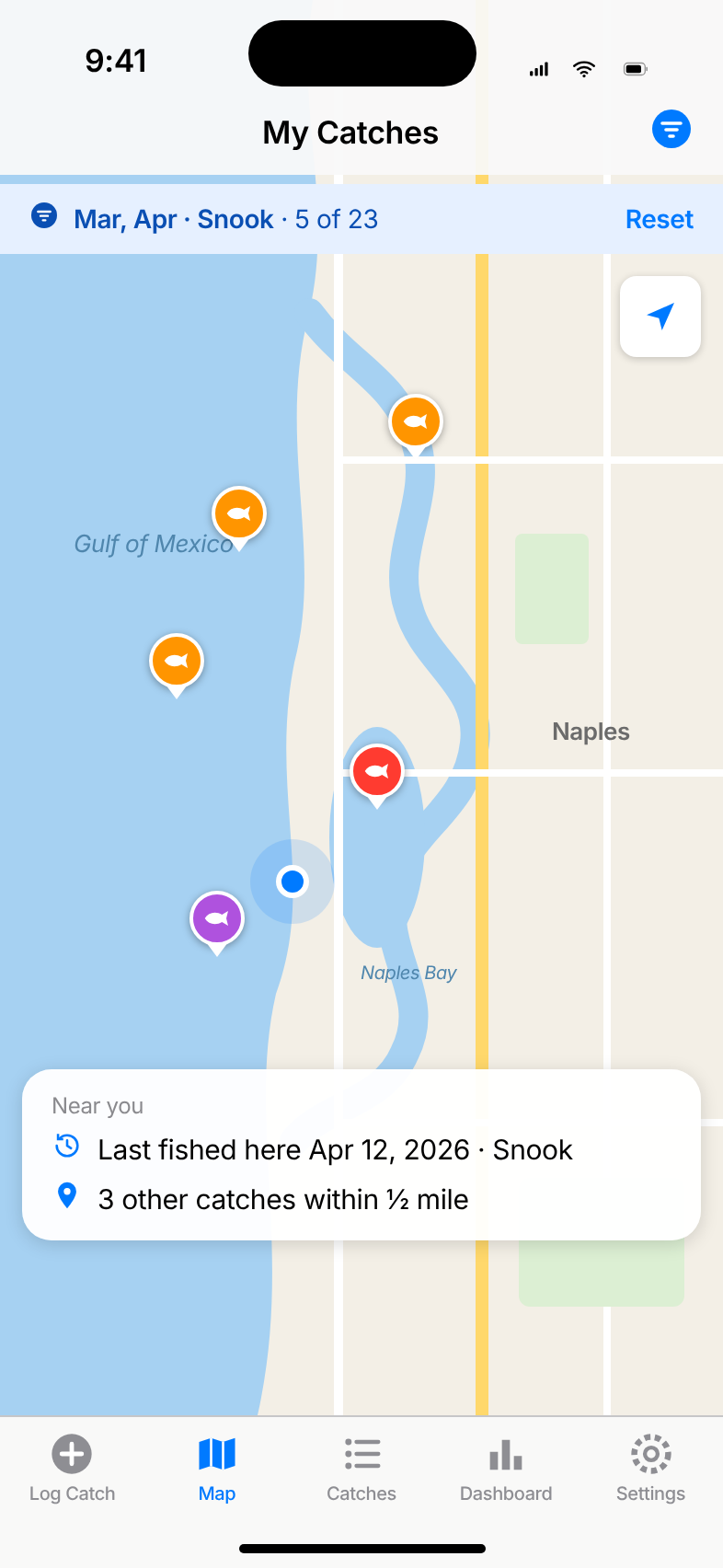
See every catch as a pin, colored by species. Tap one to open the full details. The map follows the same filters as your list, so “March and April snook” is one tap away.
- Re-center on your location in one tap
- “Near you” shows the last catch logged close to where you are
Filters that think like a fisherman
Filter by month across every year (every April you've ever fished), by this year, the last 30 days, or a custom range. Combine with one or more species.
- See what’s applied at a glance, and reset with one tap
- “Show on Map” puts the same catches on the map
“Last fished here”
Open any catch to see the most recent other catch within about half a mile, and how many fish you’ve caught around that spot. Find out whether a spot keeps producing or was a one-time thing.
A dashboard of what works
Your numbers, not guesswork: total catches, top species, best bait, best time of day, moon phase, sky conditions, water-temperature ranges, and your top spots.
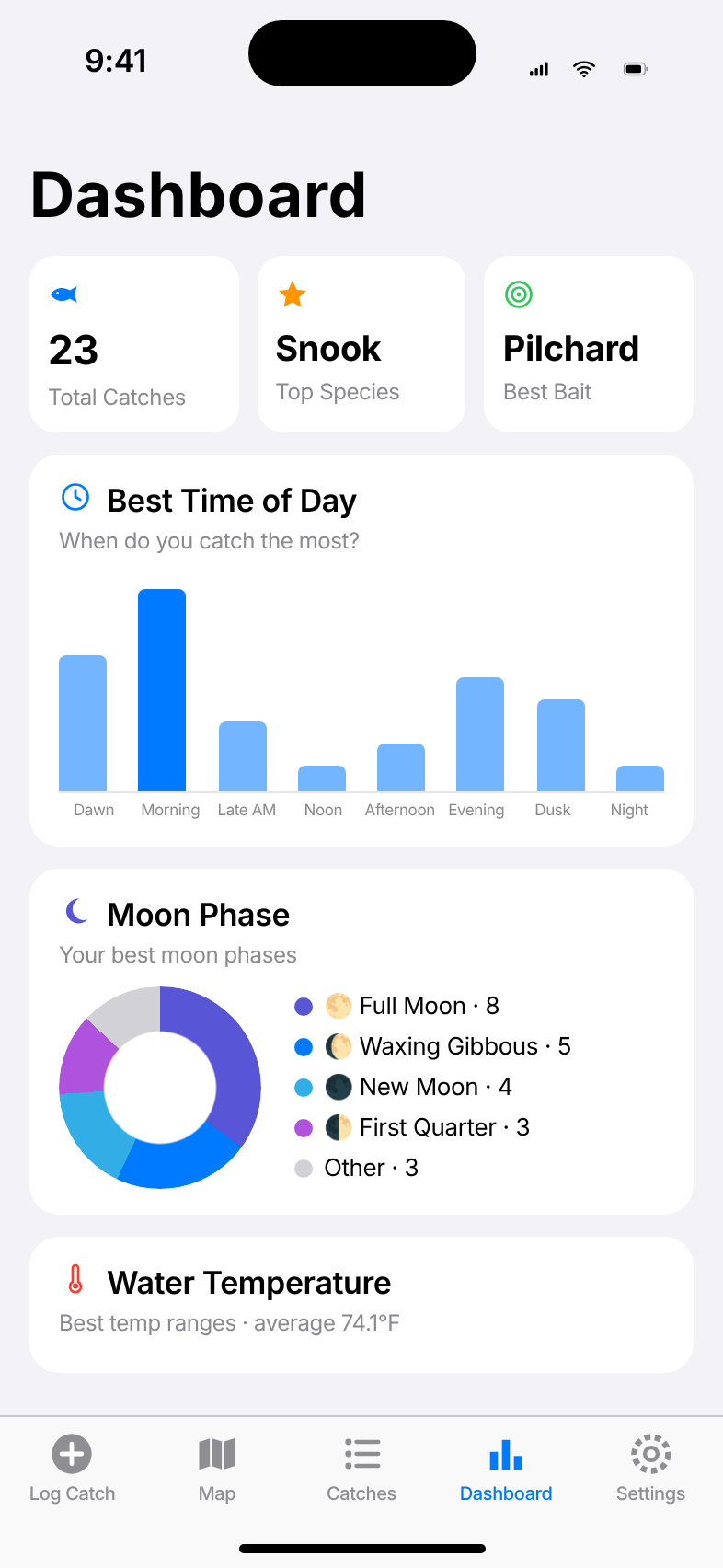
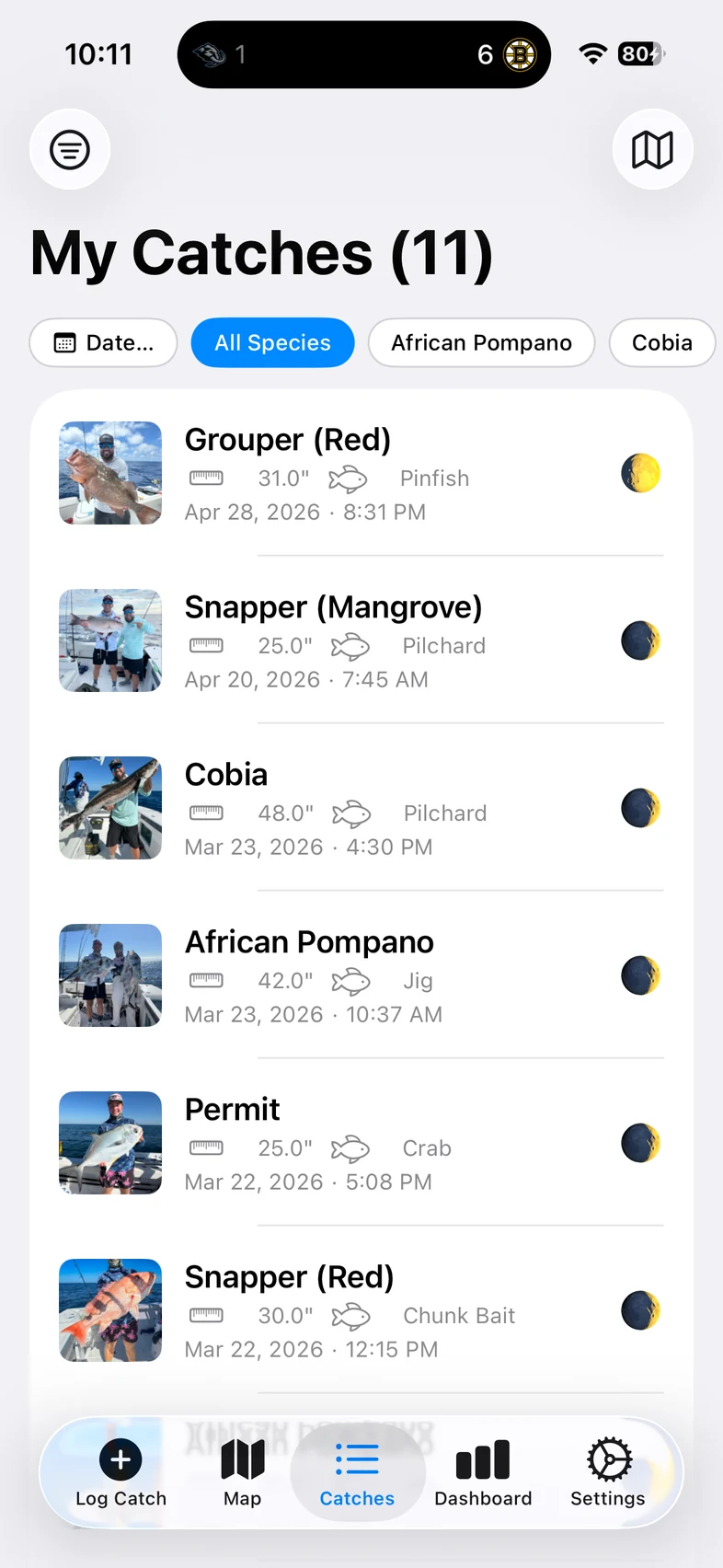
The My Catches list is a real iPhone screenshot. The other screens are illustrative mockups with sample data.
Your spots stay yours
No account, no sign-up, no ads, no tracking. We never see your catches or your spots.
On your iPhone
Your log lives on your device. There’s no Catch Book server and nothing to sign in to.
Private iCloud backup
Automatic backups go to your own iCloud Drive, with photos and dated history. Restore on a new phone in one tap.
No account needed
Your Apple Account handles backups and your subscription. Nothing else to remember.
Try it free. Upgrade when it’s earned its place.
Log your first 5 catches free. After that, Catch Book Pro keeps the log going.
Free
5 catches, with every feature: auto conditions, map, filters, dashboard, and iCloud backup.
Pro Monthly
Unlimited catches. Cancel anytime.
Pro Yearly
Unlimited catches. Save about 16% compared with monthly.
U.S. prices; other countries are priced by the App Store in local currency. Subscriptions renew automatically until cancelled in your Apple Account settings. If you stop subscribing, everything you’ve logged stays available to view, edit, back up, and restore. See the Terms.
Questions
When can I get Catch Book?
Catch Book is coming soon to the App Store for iPhone (iOS 17 or later). This page will link to it as soon as it’s live.
Do I need an account?
No. There’s no sign-up. Backups use your own iCloud Drive and the subscription uses your Apple Account.
Can anyone else see my spots?
No. Your catches are stored on your iPhone and, if you use iCloud, in your private iCloud Drive. We don’t run a server and never receive your catches or locations. Read the Privacy Policy.
Does it work offline, out on the water?
Yes. You can log a catch with GPS anywhere. Weather, tide, and water temperature fill in when you have a connection, and you can always type them in yourself.
Where do tides and water temperature come from?
From the nearest NOAA tide station along the Florida and Gulf coasts (within about 100 miles). Weather comes from Apple Weather and works anywhere.
What counts toward the 5 free catches?
Every catch you log, including ones you later delete. Editing a catch or restoring a backup doesn’t use up free catches.
What happens if I cancel Pro?
You keep everything. You can still view, edit, filter, map, back up, and restore all your catches. You just can’t log new ones beyond the free 5.
Is there an iPad or Android version?
Catch Book is made for iPhone. It isn’t available for Android.
More help on the Support page.